In 2025, Top Hat acquired the IP for Openclass. After the acquisition, the team was super eager to bring their robust coding assessments into Top Hat's product.
Top Hat had never included an assessment type like this in the platform before. Coding assessments can be deceptively complex and had to fit into Top Hat's existing approach to rendering questions.
The final implementation had four key pieces, each with their own unique considerations.
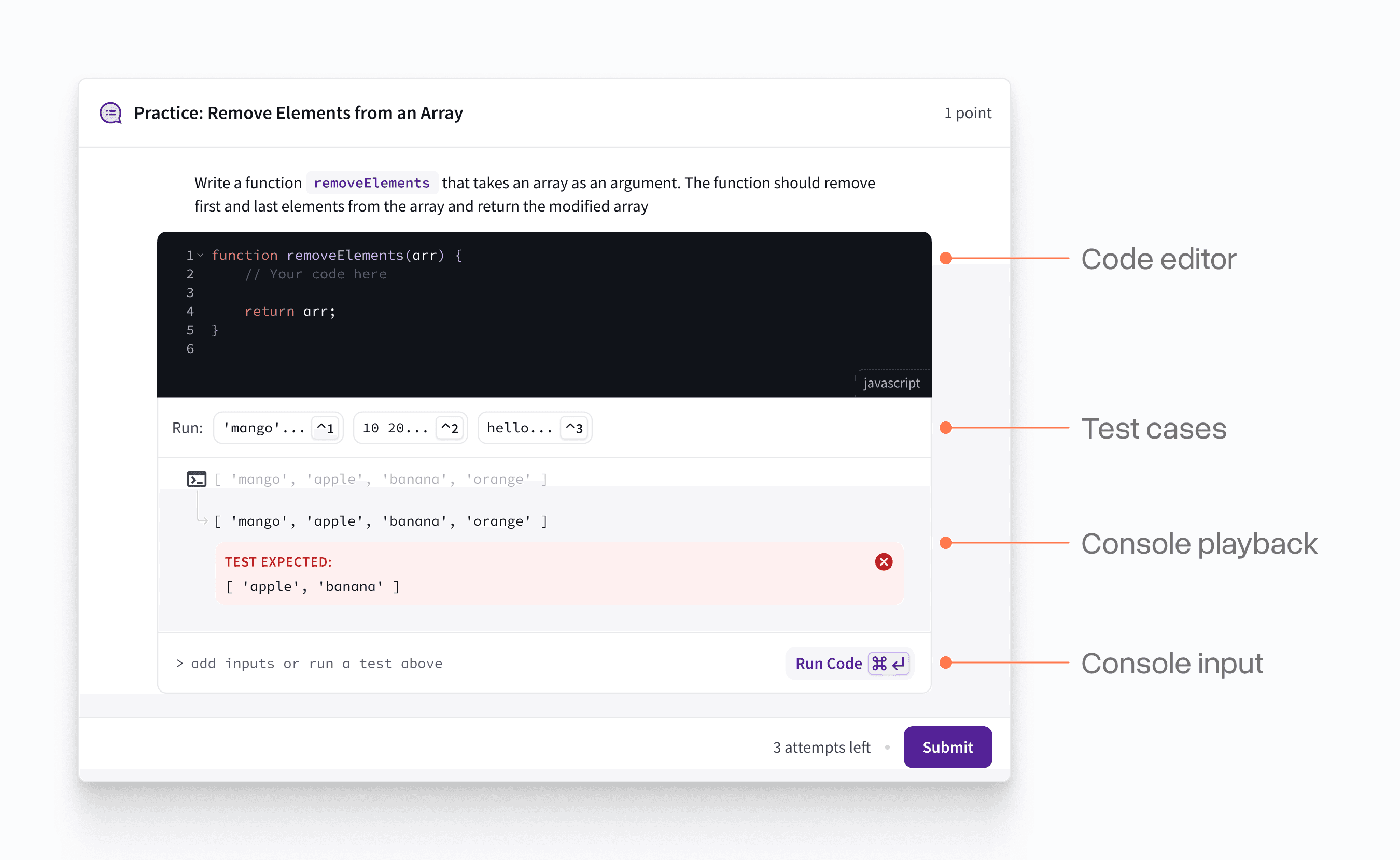
Code editor
The starter code for many of the exercises had two pieces: (1) a placeholder comment for where the student should include their code and (2) "execution code" that students might need to audit, but should not be able to modify.
The latter provided tricky, but we eventually landed on using the native code folding that our editor library provided. There was also some good optionality here for if the code should be hidden at the start, locked from being edited, or both.
Test Cases
Each question has a series of test cases that the student needs to check their code against. Each of these has a STDIN (standard input) and STDOUT (standard output) that guide the student on what they are aiming for.
The content for each of these can be quite long, but they also need to be quick to access. I landed on using a simple chip + progressive disclosure pattern to convey this.
Console log
This went through a lot of iterations. There were 4 major states (matches, does not match, error, and neutral) + each input could be multiple lines long.
I found adding a subtle colour flash to left provided high quality feedback on the exact outcome of each test as it ran.
Console Input
I got a bit obsessed with keyboard control on this project. Iterating over code can be tedious, so I wanted to save students from taking their hands off the keyboard too much.
I added a ⌘k command that swap between the two inputs, each test case was mapped to number key (ex: ⌃1) and you could execute the code at any point with ⌘⏎.
I also made sure the input space allowed use of the up/down arrow keys for history much like a real terminal.
Managing the panel sizes was also an interesting challenge. By default, the editor would enlarge as you added more content and the console log had a default size to it.
Both panels could be resized independently and would hold their size if the user set them to a specific size instead of the defaults.
Surrounding Content
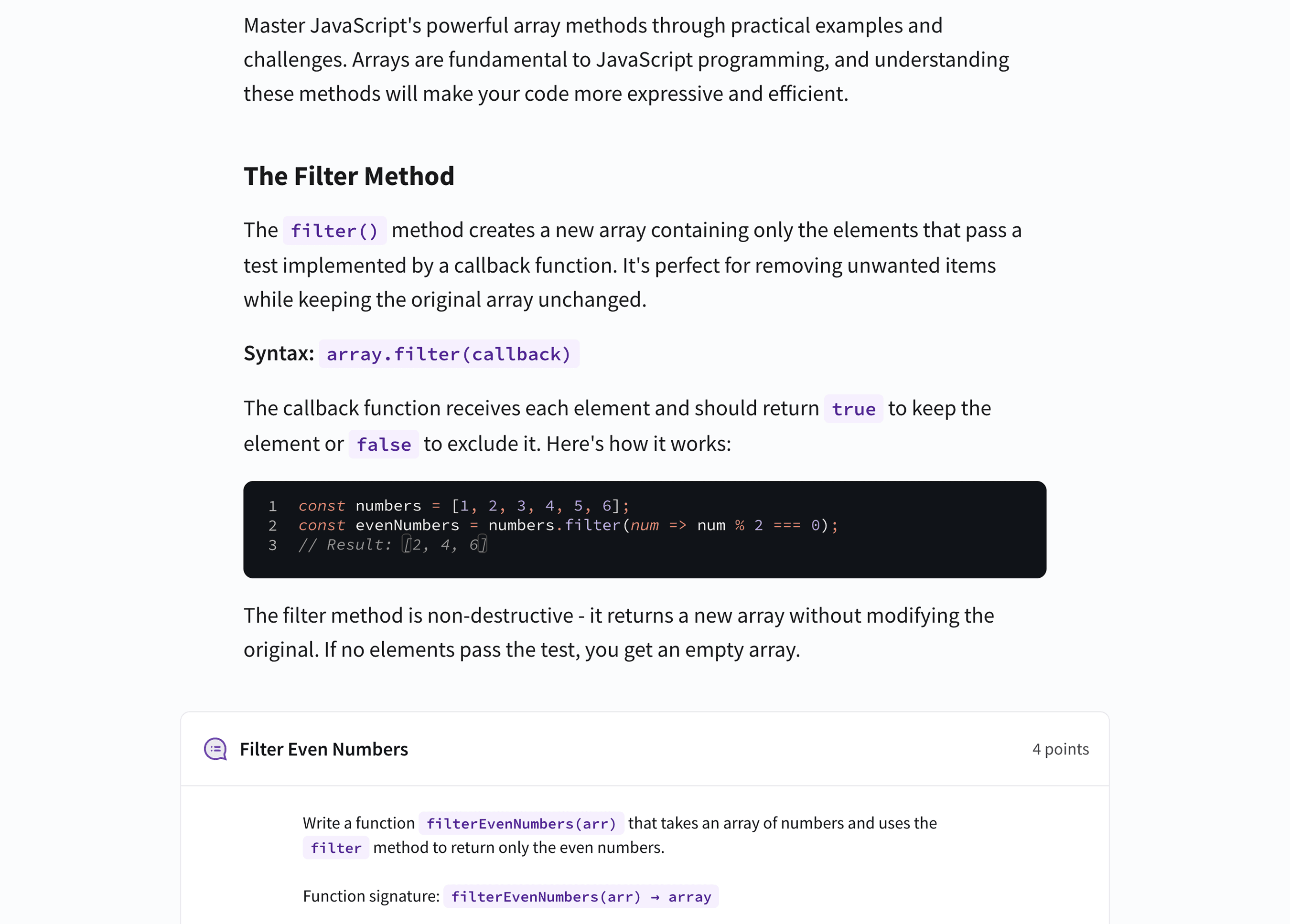
These coding assessments are embedded in larger pages that explain each concept. As part of this work, we significantly upgraded Top Hat's textbook styling for things like code snippets and blocks.
Designing with code
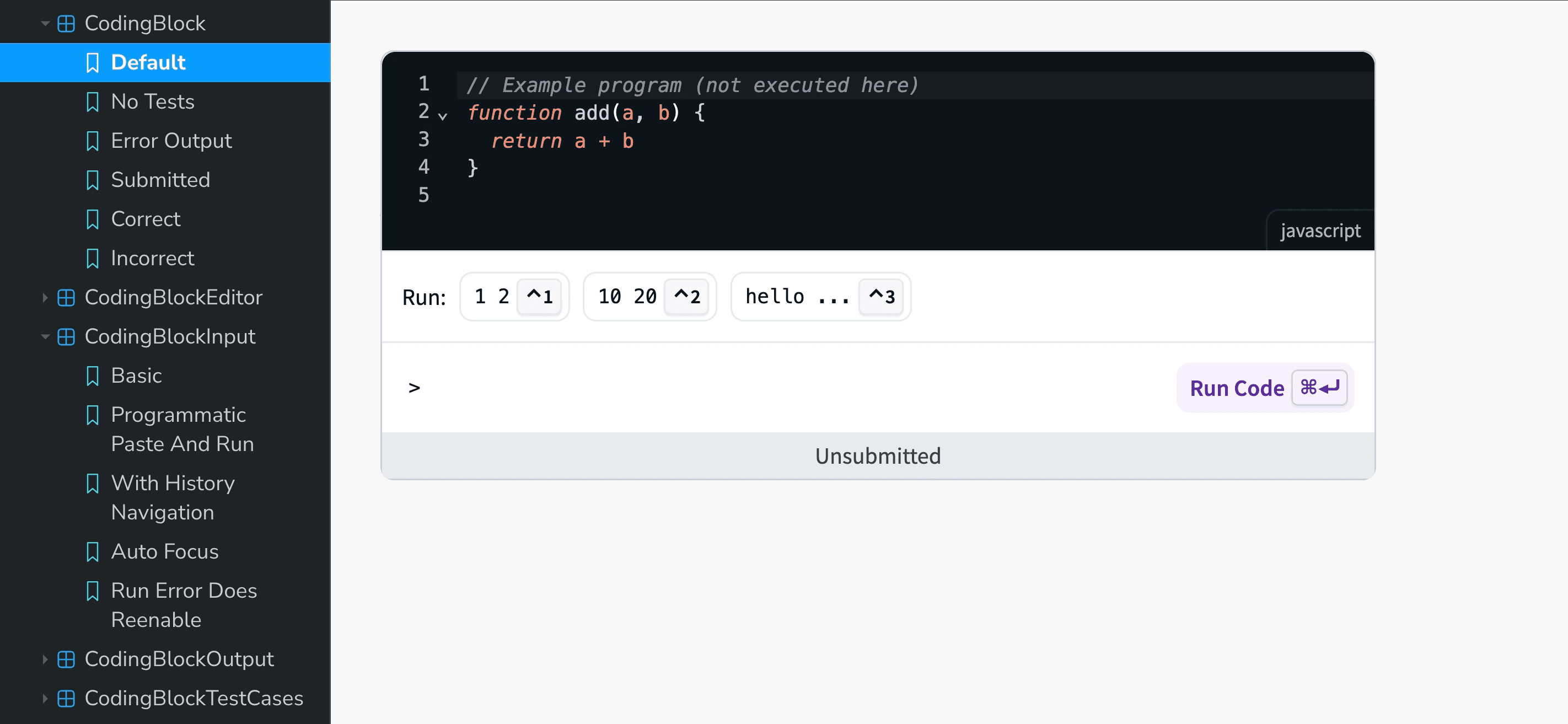
This was one of the first projects where I did the most of the design work in code rather than Figma. The interactions were complex and I don't think I would have gotten to the same approach any other way.
I handed-off production-grade components in storybook to the engineering team which significantly accelerated the final implementation.
Acknowledgements
Thank you to Alec Kretch, founder of Openclass, for providing the original foundation to build such a rich assessment type for students.